

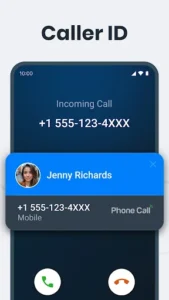
The Phone Call app offers a streamlined approach to managing your mobile call history, designed to help you organize, view, and take immediate action on your communications. It provides a clear interface to quickly access your entire call log, including missed, received, and outgoing calls, complete with detailed insights like call duration. A standout feature is its After-Call Screen, which appears immediately following a conversation, allowing you to respond instantly via call or SMS, add reminders, save new contacts, or block unwanted numbers without navigating away. This focus on post-call efficiency aims to integrate call management seamlessly into your daily routine.
Managing Your Call History
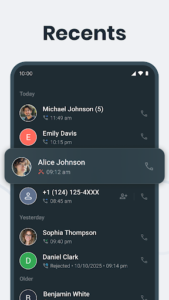
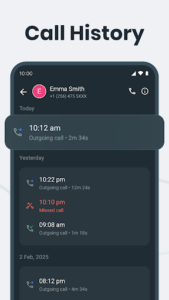
The app simplifies how you interact with your past calls. It provides a comprehensive view of your entire call log, allowing you to easily sort through missed, received, and outgoing calls. Beyond just listing calls, the app offers detailed insights for each entry, including the exact duration of the conversation and relevant contact information. This detailed logging helps users track communication patterns and recall specific call contexts quickly.
Instant Post-Call Actions
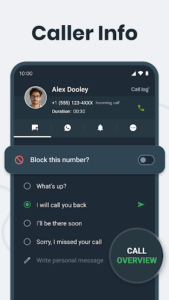
A core capability of the app is its After-Call Screen, which activates immediately after a phone conversation concludes. This feature presents caller information and a suite of options for instant follow-up. Users can choose to call back, send an SMS, or utilize other messaging apps directly from this screen. It also facilitates practical tasks such as setting reminders related to the call, saving new numbers to contacts, or blocking unwanted callers on the spot, streamlining post-call workflows.
Blocking Unwanted Calls
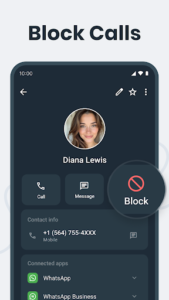
Phone Call includes a straightforward feature for managing unsolicited communications. You can easily block specific numbers directly from your call history or through the After-Call Screen, preventing future calls from those contacts. Should circumstances change, the app also provides the flexibility to unblock any number whenever necessary, giving users full control over who can reach them.
Streamlined Contact Access
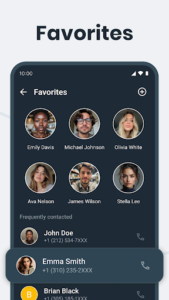
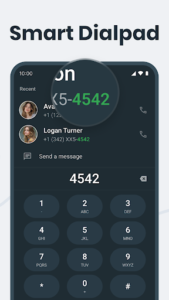
To enhance efficiency, the app incorporates a Smart Search function, enabling users to quickly locate contacts within their phone’s contact list by simply typing a name. Additionally, a dedicated Favorites section allows you to mark important contacts for instant access, ensuring that frequently contacted individuals are always just a tap away, whether for viewing their call history or initiating a new call directly from the call log with one-tap call back.
Privacy and Permissions
The app is designed with a strong emphasis on user privacy. It explicitly states that it only accesses call logs to deliver its core call management and After-Call Screen features. The developer commits to never storing, sharing, or misusing call log data without explicit user consent, and affirms that all data usage is fully compliant with Google Play policies, including no tracking, analytics, or unauthorized data usage. The necessity for the READ_CALL_LOG permission is clearly explained, primarily for displaying call details, enabling post-call actions like blocking or quick replies, instant call-back, messaging, and saving unknown numbers, as well as for managing the full call history and providing smart call insights.







Write a review